
1win App for Android, iOS and PC – Download in Bangladesh
The 1win app puts cricket betting, Aviator, live casino and 13,500+ games on your phone, with the same account and balance in taka as on the website. On Android, it is a light APK of just 5.25 MB that runs even on older phones. On iPhone and computers, 1win works as a web app that you add to your home screen, Dock or taskbar in a few taps. Install the app and get 200 1win Points as a gift.
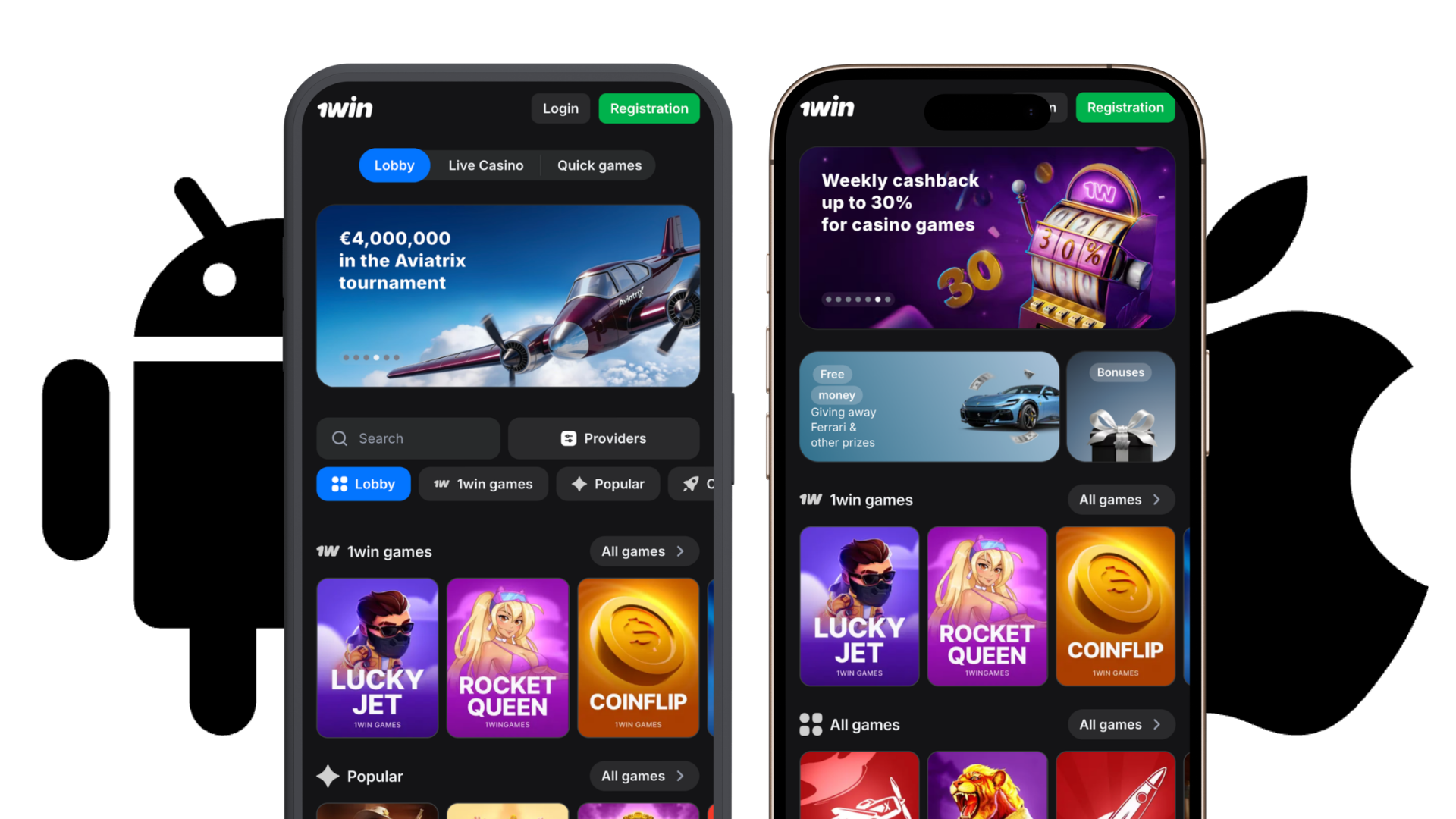
1win App at a Glance
| Platform | Format | How to install | Requirements |
| Android | APK file | From the official 1win website | Android 8.0+, 1 GB RAM |
| iPhone / iPad | Web app (home-screen shortcut) | Safari → Share → Add to Home Screen | Safari browser |
| Windows | Web app | Through your browser | Modern browser |
| macOS | Web app | Safari → Share → Add to Dock | Safari browser |
The 1win casino app is not available in Google Play or the App Store, because both stores restrict gambling apps. Download it only from the official 1win website or an official mirror.
1win APK Download for Android
How to download and install the APK
- Allow unknown sources. In your phone’s settings, allow installation of apps from unknown sources for your browser. Android usually offers to do this automatically when you open the file.
- Open the official website. Go to the official 1win website in your phone’s browser.
- Download the APK. Tap Download and wait a few seconds – the file weighs only 5.25 MB.
- Install the app. Open the downloaded file and confirm the installation.
- Log in or register. Open 1win from the home screen and sign in, or create a new account.
Android system requirements
| Parameter | Requirement |
| Android version | 8.0 (SDK 26) or higher |
| RAM | 1 GB minimum, 2 GB for more comfortable play |
| Processor | ARM 64-bit (arm64-v8a) or 32-bit (armeabi-v7a) |
| Cores and frequency | No special requirements |
| APK size | 5.25 MB (version 1.5.1) |
| Space after installation | About 10 MB |
Because the app supports both 64-bit and 32-bit ARM processors, it runs on new smartphones and on older budget models alike, as long as they have Android 8.0 or higher. If your phone meets these requirements, you don’t need to look for it in a list of supported devices.
Betano descarga de la aplicación de juegos

1win App for iPhone and iPad
There is no 1win app to download from the App Store, and there is no file to install. Instead, you add 1win to your home screen as a web app (PWA). It opens in its own window from an icon, just like a regular app, and always shows the latest version of the site.
H3: How to add 1win to your iPhone home screen
- Open Safari on your iPhone or iPad.
- Go to the official 1win website.
- Tap the Share icon at the bottom of the screen.
- Choose Add to Home Screen.
- Tap Add. The 1win icon appears on your home screen.
The shortcut takes up almost no space on your device. Use Safari for the installation – that’s where the Add to Home Screen option is available.
1win App for Windows and macOS
On a computer, 1win also works as a web app installed through the browser. It opens in a separate focused window without tabs and address bars, and your account syncs across all your devices.
Windows
Open the official 1win website in your browser and install it as an app from the browser menu. Then pin the 1win icon to the taskbar for one-click access.
macOS
- Open Safari on your Mac and go to the official 1win website.
- Tap the Share icon in the address bar.
- Choose Add to Dock and tap Add.
The 1win icon appears in the Dock, and the app opens in its own window.
How to Update the 1win App
- Android: When a new version is released, download the latest APK from the official 1win website and install it over the old one. Your account and balance stay the same.
- iPhone, iPad, Windows and macOS: no updates are needed. The web app always opens the current version of the site.
What You Can Do in the 1win App
The app gives you the full 1win platform, not a cut-down version:
- Sports betting. Cricket including the ICC World Cup and IPL, kabaddi, football, tennis and esports, in pre-match and Live. Accumulators of 5+ events get an express bonus of 7–15%.
- Casino. 13,500+ games from 110+ providers: slots, around 900 live dealer games and around 700 fast games.
- Crash games. Aviator, JetX, Lucky Jet, Rocket Queen and other games where you cash out before the round ends.
- More products. 1win Markets, Fantasy cricket, Poker and Virtual Sports.
- Payments. Deposits and withdrawals in BDT or crypto right from your phone.
- Profile. Bonuses, Bonus codes, Bet history, Transaction history and Settings – the same as on the website.
- Support. Live chat 24/7 with replies in about 2 minutes.
Bonuses for App Users
| Bonus | Details |
| For installing the app | 200 1win Points, once. From 1,200 Points, you can exchange them for real money: 1,200 Points = 850 BDT. |
| Welcome bonus | Up to 500% + 500 free spins on your first four deposits in BDT (up to 600% for a crypto account). Minimum deposit about 1,250 BDT, maximum bonus about 62,000 BDT. Wagering x30. |
| Weekly cashback | Up to 40% of the week’s net losses on slots, credited every Saturday, wagering x1. |
| Vouchers | Promo codes from 1win’s social networks and the Free Money section, activated in Profile → Bonus codes. |
The app and website share one account, so every bonus you get in the app is also available on the website, and the other way round. 1win does not offer a no-deposit bonus – vouchers play that role.
Registration and Login in the App
The registration and login forms in the app are the same as on the website.
- New player? Tap Registration, choose BDT, enter your phone number with +880, email and a password of at least 8 characters. Step-by-step instructions are on the 1win registration page.
- Already have an account? Tap Login and use your phone or email with your password, or the social network or crypto wallet you registered with. More details and password recovery are on the 1win login page.
Deposits and Withdrawals in the App
Tap Deposit or Withdraw in your profile, choose a method and enter the amount in taka.
Crypto players can use 15 cryptocurrencies, including USDT, BTC, ETH and TRX; USDT on the TRC-20 network usually arrives in about 5 minutes. A BDT account is withdrawn only in fiat, and a crypto account only in crypto. For withdrawals above about 62,000 BDT (US$500 equivalent), 1win may ask you to verify your identity.
App or Mobile Browser?
You can also play 1win in any mobile browser without installing anything. Here’s how the two options compare:
| 1win app | Mobile browser | |
| Installation | APK on Android, shortcut on iOS | Not needed |
| Launch | One tap on the icon | Open the browser and type the address |
| Access if the main site is blocked | Kept through the app | You need a working mirror |
| Bonus for installing | 200 1win Points | No |
| Account, balance, bonuses | Same | Same |
If you play regularly, the app is more convenient. If you just want to check a result or place one bet from someone else’s phone, the browser is enough – just remember to log out afterwards.
Is the 1win App Safe?
The official app is safe when you download it from the official 1win website or an official mirror. APK files from third-party sites and “modified” versions may contain malware or steal your login details.
Inside the app, your account is protected by your password and confirmed phone number and email. Fingerprint, Face ID and two-factor authentication are not available, so use a strong password of at least 8 characters. In Settings → Active sessions, you can see every device where you’re logged in and end any session you don’t recognise.
Installation Problems and Solutions
| Problem | What to do |
| “Installation blocked” on Android | Allow installation from unknown sources for your browser in the phone settings, then open the APK again. |
| “App not installed” | Check that your phone runs Android 8.0 or higher and has at least 10 MB of free space. Delete the old APK file and download a fresh one. |
| The 1win website doesn’t open to download the APK | Get a link to an official mirror in live chat or in the official 1win Telegram channel. |
| No “Add to Home Screen” option on iPhone | Make sure you opened the site in Safari, not in another browser. |
| The app doesn’t open or freezes | Check your internet connection, restart the phone and reinstall the latest APK from the official website. |
If the problem remains, write to live chat or to [email protected] – support works 24/7.
FAQ
Yes. The APK for Android and the web app for iPhone, Windows and macOS are free to install.
Both stores restrict gambling apps. That’s why Android users download the APK from the official 1win website, and iPhone users add the 1win shortcut to their home screen through Safari.
There is no file to download. Open the 1win website in Safari, tap Share → Add to Home Screen and use the 1win icon like an app.
Android 8.0 or higher, at least 1 GB of RAM (2 GB recommended) and about 10 MB of free space. The APK itself is 5.25 MB.
Updated: